Fire shift calendar · Overtime log
Know your next shift. Log every overtime hour.
Dutyloop is a shift calendar and overtime log for firefighters, police and EMS. Set your 24/48, Kelly or Pitman rotation; log OT in two taps.
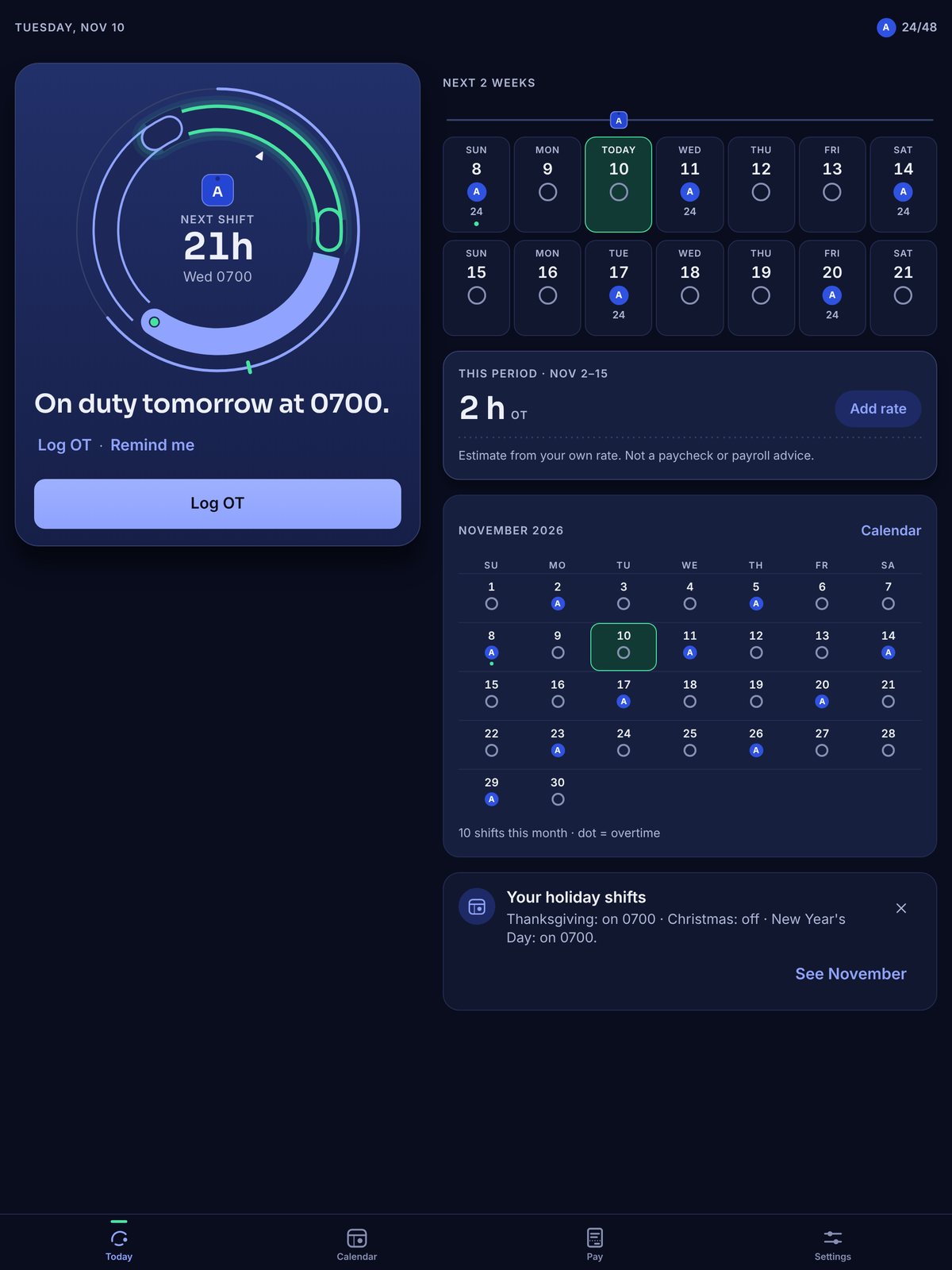
On duty tomorrow at 0700.
A platoon · 24/48 · this period 18 h OT, est. $1,110
Why crews use it
Three things, done right
Your rotation, right the first time
Pick 24/48, Kelly, Pitman or a 14/14 hitch, tap the first day of your block and your platoon. Three taps, no typing, and every shift for the next 12 months is filled in. A live preview lets you check it before you save.
Overtime in two taps
Log OT, Add. Hours, 1.5x or 2.0x, and a reason like holdover or callback. The pay period's overtime and an estimated amount from your own hourly rate update on the spot.
Yours, and fair
No account, no ads, no analytics SDK. Everything stays on your iPhone or iPad, with a backup file you control. The calendar is free for good; Pro is one payment, never a subscription.
Real screens from the app
See it
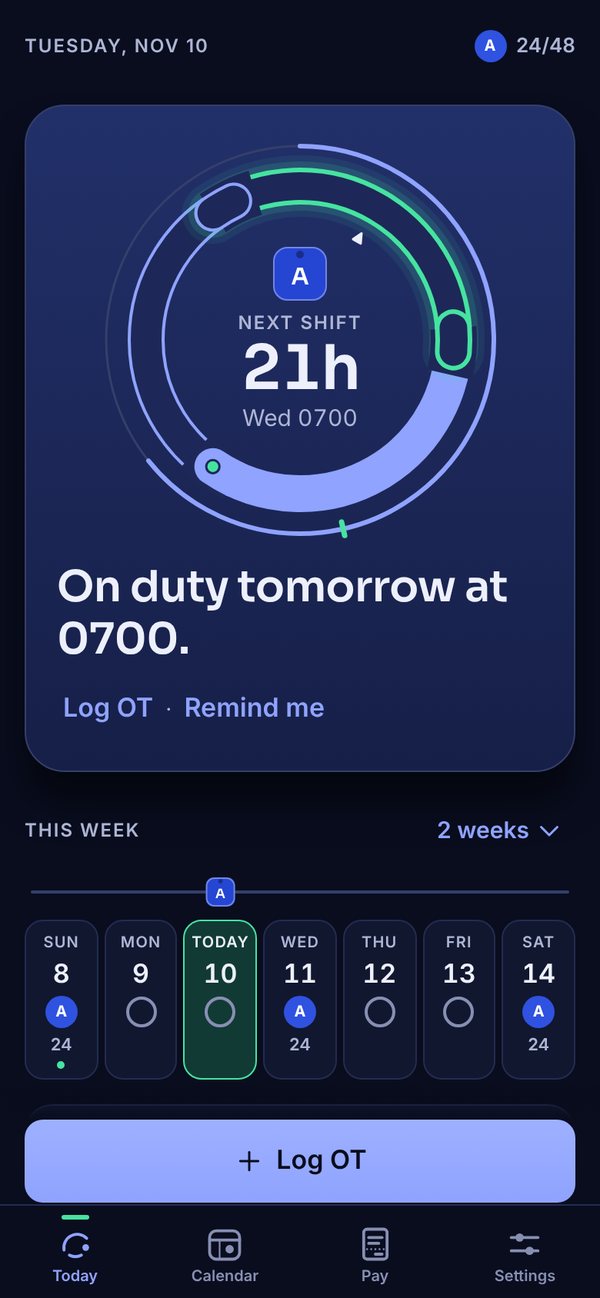
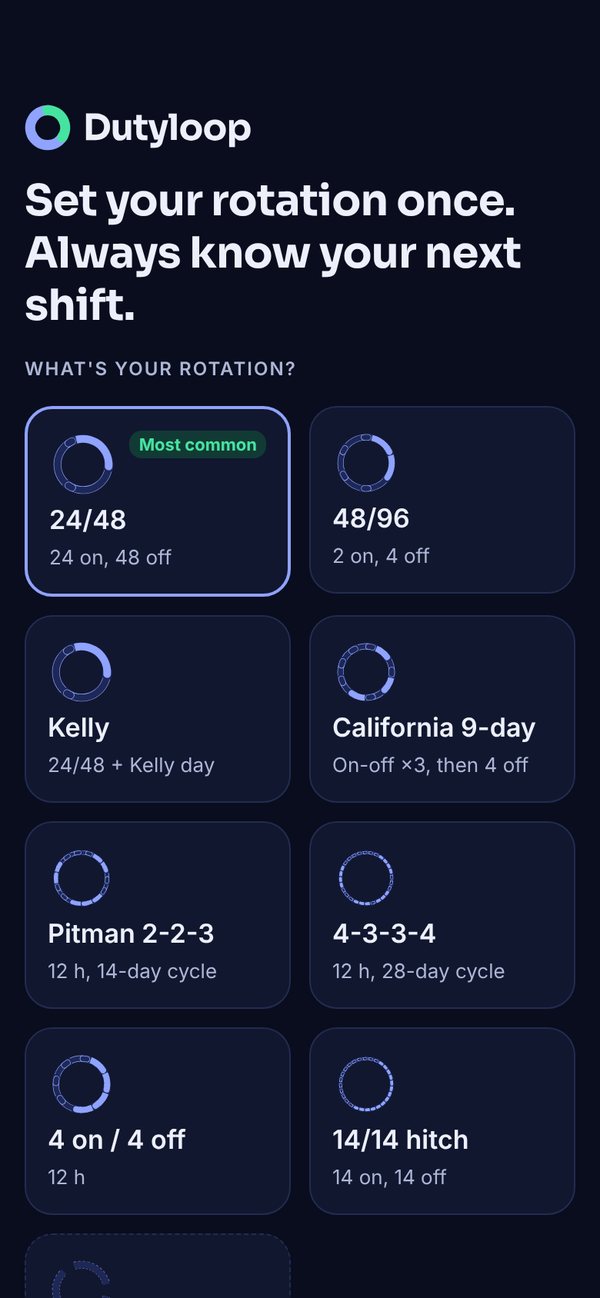
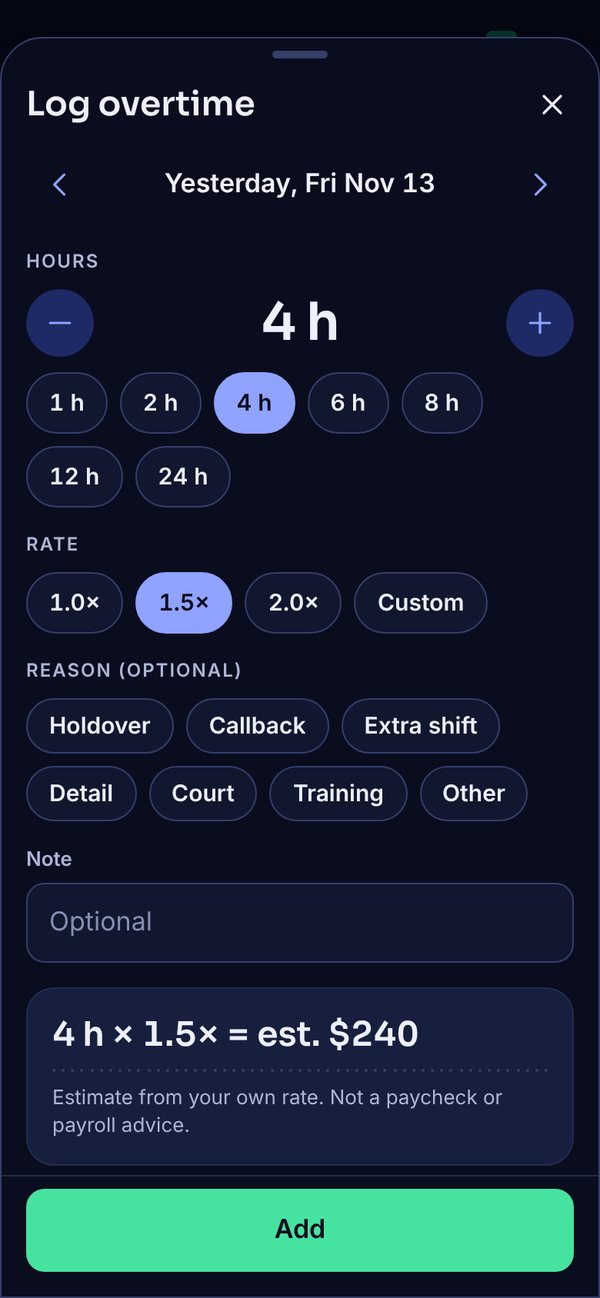
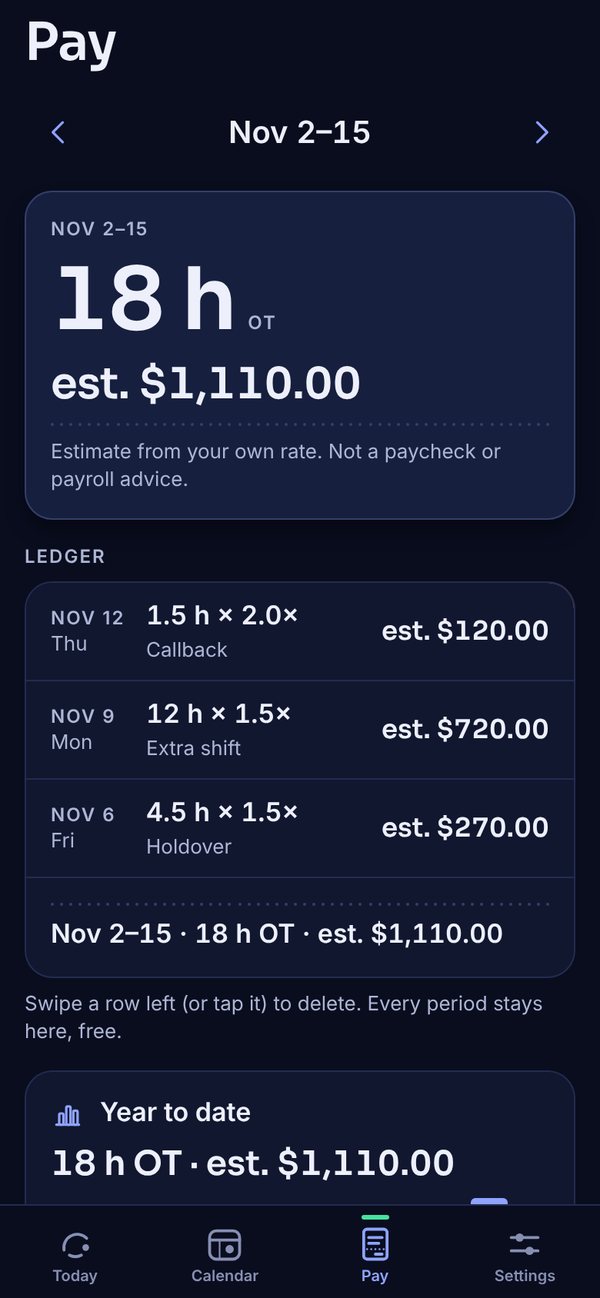
Everything in 1.0
Features
- Presets: 24/48, 48/96, Kelly, California 9-day, Pitman 2-2-3, 4-3-3-4, 4 on / 4 off, 14/14 hitch
- Custom builder for any cycle up to 84 days, day/night swap, Kelly-day rule
- Platoons A to D, shown with a letter and a shape, not color alone
- Month and year calendar, any date past or future, show all platoons
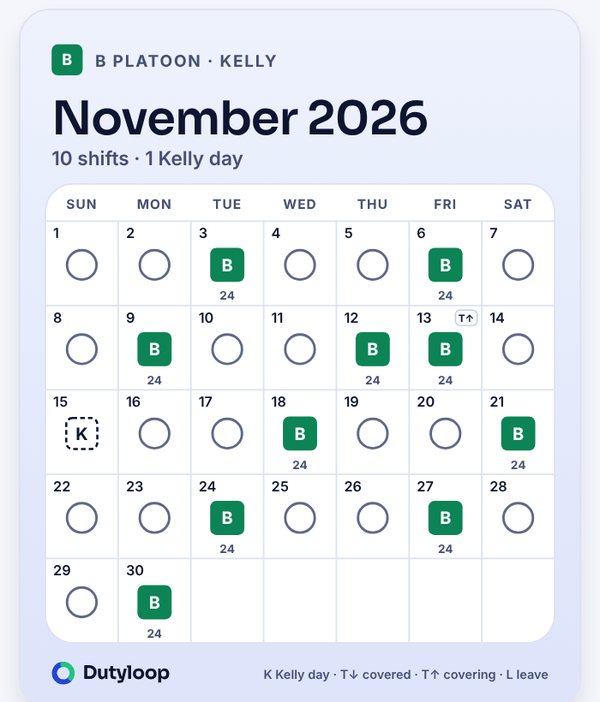
- Kelly days, trades (someone covers me / I cover, paid back), leave, notes
- Overtime log with 1.0x / 1.5x / 2.0x / custom rates and reasons
- Pay-period estimate: weekly, biweekly, semimonthly or monthly
- Evening-before shift reminders, scheduled on your device
- Share month picture, backup file and restore
- Light and dark mode, 12- or 24-hour clock, iPhone and iPad
Price
Free calendar. Pro, paid once.
Free $0
Rotation, Today, Calendar, overtime log, every pay period, Share month, reminders, backup. Never expires.
Pro $6.99
Once, not a subscription. Apple Calendar export (12 months), year-to-date OT report and CSV, FLSA 7(k) hours check, morning-of and trade reminders.
Who it's for
- Career and volunteer firefighters on 24/48, 48/96, Kelly or California schedules
- Police officers and deputies on Pitman, 4-3-3-4 or 4 on / 4 off
- EMTs and paramedics on 24-hour or 12-hour rotations
- Plant, mine and oilfield workers on a 14/14 hitch
- Anyone who picks up overtime and wants a fair estimate of the pay period
Who it's not for (yet)
- Supervisors building a schedule for a whole crew: Dutyloop is a personal calendar
- Net pay, taxes, holiday pay, differentials or contract rules: not calculated
- Syncing between devices or with your crew: there is no account or server
- A Home Screen widget: not in version 1.0
- More than one saved rotation, Android, Apple Watch: not available
Honest comparison
Dutyloop vs the usual alternatives
General categories, not specific apps. Features vary from app to app, so check any app's store page yourself.
| Option | Kelly days and multi-step patterns | Overtime with pay-period totals | Account needed | Typical cost |
|---|---|---|---|---|
| Dutyloop | Yes: presets, Kelly rule, day/night swap, custom up to 84 days | Yes, estimated from your own rate | No | Free; Pro $6.99 once |
| Phone calendar with a repeating event | Simple repeats only (every 3 days); Kelly days and 2-2-3 patterns are hard | No | Uses your phone's calendar account | Free |
| General hours and overtime trackers | Usually no rotation calendar | Yes, often clock-in based | Varies | Often weekly or yearly subscriptions |
| Fire calendars with department presets | Yes, often a department list | Some log OT; few total a pay period | Varies; some cloud features need sign-in | Free to paid |
| Subscription shift planners | Usually flexible patterns | Some offer earnings reports | Often for sync and sharing | Monthly or yearly plans |
| Paper or a spreadsheet | Whatever you build | Manual math | No | Free |
Questions people ask
FAQ
Is there a firefighter shift calendar app that doesn't need an account?
Yes. Dutyloop needs no account, no sign-in and no email. Your rotation, overtime and settings are stored only on your iPhone or iPad, and you can save a backup file to Files or iCloud Drive.
Can Dutyloop handle Kelly days on a 24/48 schedule?
Yes. Pick the Kelly preset (24/48 with every Nth shift off, every 7th by default), confirm or change the next Kelly day, and every later Kelly day is placed on the calendar for you. You can also mark a single Kelly day by hand.
Which shift rotations does it support?
Presets for 24/48, 48/96, Kelly, California 9-day, Pitman 2-2-3, 4-3-3-4, 4 on / 4 off and 14/14 hitch, plus a custom builder for any cycle up to 84 days with 24-hour tours, 12-hour days and nights, and off days. Patterns differ by department, so check the live preview against your own schedule.
How do I track overtime and see what my pay period is worth?
Tap Log OT, then Add: hours, a 1.0x, 1.5x, 2.0x or custom rate, and an optional reason such as holdover or callback. The Pay tab totals this pay period's overtime hours and an estimated amount from the hourly rate you enter, for weekly, biweekly, semimonthly or monthly periods. It is an estimate, not a paycheck, tax or payroll calculation.
Does it work for police, EMS and hitch workers too?
Yes. Pitman 2-2-3, 4-3-3-4 and 4 on / 4 off cover many police and 12-hour schedules, 24/48 and 48/96 cover many EMS services, and the 14/14 hitch preset (with an optional nights-then-days swing) covers rotation work. The custom builder handles the rest.
Can my spouse or family see my shift schedule?
Yes. Share month makes a free picture of your month to send to the family chat. With Dutyloop Pro you can also add 12 months of shifts to Apple Calendar with an .ics file, so they appear in a calendar your family already uses.
Is Dutyloop a subscription?
No. The calendar, Today screen, overtime log and every pay period are free. Dutyloop Pro is a single $6.99 in-app purchase (US price) that adds Apple Calendar export, a year-to-date overtime report with CSV export, the FLSA 7(k) hours check, and morning-of and trade reminders. Nothing renews.
What is the FLSA 7(k) hours check?
It compares the hours in your work period with the federal 7(k) overtime threshold for public-agency fire (212 hours per 28 days) or law enforcement (171 hours per 28 days), scaled to periods of 7 to 28 days. It shows hours only. It is information, not legal or payroll advice: 7(k) applies only to some public-agency employees and only if the employer uses it. Source: 29 CFR 553.230.
What happens to my schedule if I get a new phone?
Save a backup file in Settings (Back up now) to Files or iCloud Drive, then use Restore from file on the new phone. Dutyloop has no server, so the backup file is how your data moves.
Does Dutyloop have a Home Screen widget?
Not yet. Version 1.0 has no widget. The Today screen answers 'am I on tomorrow?' when you open the app, and evening-before reminders can tell you without opening it.
Can I keep more than one rotation?
Not in version 1.0. Dutyloop follows one rotation at a time; you can change it any time in Settings.
Does it work on iPad?
Yes. Dutyloop is built for iPhone and iPad, with a two-column Today screen and a larger calendar on iPad, in light and dark mode.